Contents▾
How to play
Play from ExplorePlaying a chatPlaying storiesHow Ink worksSet up your personaPlay with diceHow to create
A worked exampleCreating a characterCreating a scenarioInline images: illustrations in the chatMoving the story with phasesEmotion parameters for personalityFeed world facts on demandBuilding a TRPGMake images and videoPublish your workGetting better
Writing so the AI understandsHow Ink works
Ink is the points you spend whenever you ask the AI to generate something. Chat replies and image generation both consume it. This page covers what Ink is spent on, and how your balance and getting more work.
There are two kinds of Ink
- Monochrome Ink: Ink you receive for free, from sign-up bonuses, campaigns and the like.
- Color Ink: Ink you purchase in the Store.
When you spend Ink, Monochrome Ink is used first. Color Ink only starts to drop once your Monochrome Ink runs out.
In the Terms of Service and legal notices, Monochrome Ink is referred to as "Ink granted for free" and Color Ink as "Ink purchased for a fee".
What Ink is spent on
Ink is spent whenever you ask the AI to generate something.
- Having the AI generate a reply: 1 Ink per message as the base. Sending a normal message, sending an OOC direction on its own, "Continue" and "Regenerate" each consume one turn's worth. Some response models add a surcharge (see below).
- Generating an image with AI. Character and scenario images cost 4 Ink each. In a story's Media studio, the cost depends on the model you choose (uploading is free).
- Standard / Anime style (Seedream): 4 Ink
- High quality (best for multiple characters): 10 Ink
- Best quality (GPT Image): 15 Ink
- Generating a video with AI: the cost depends on the model and length, and is shown on the generate button. Video generation requires Color Ink and cannot run on Monochrome Ink. A failed generation is refunded automatically.
- Reading an appearance from a scenario image: 1 Ink. This shows a registered image to the AI and writes out a description of the appearance.
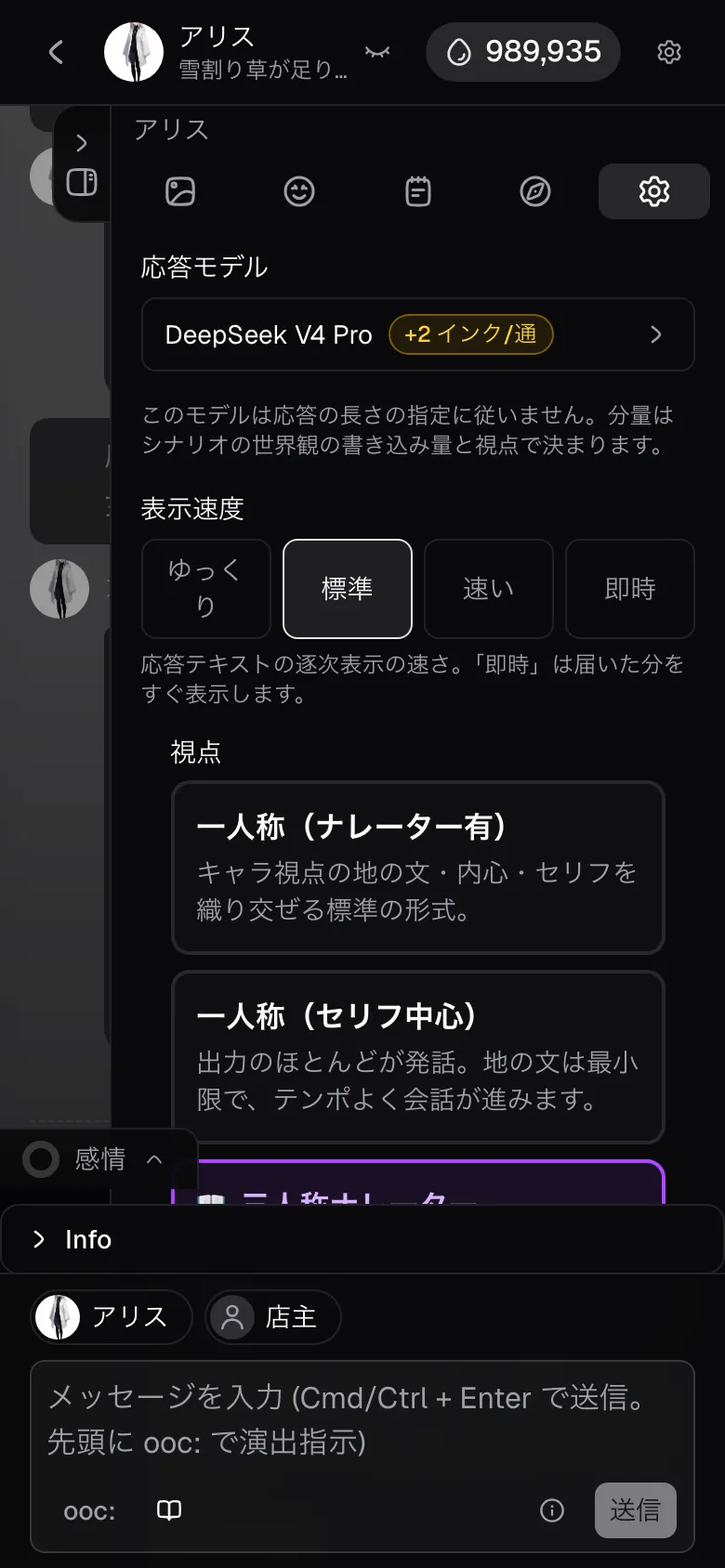
Choosing a higher-tier response model adds to the cost per message. The model selected when you start a chat is DeepSeek V4.1 Flash (1 Ink per message), and you can switch to a higher-tier model under "Response model" in the chat settings.
- DeepSeek V4 Pro: +2 Ink/msg (3 Ink per message)
- GLM 4.7: +4 Ink/msg (5 Ink per message)
- Grok 4.7: +9 Ink/msg (10 Ink per message)
- Gemini 3.1 Pro: +9 Ink/msg (10 Ink per message)
- GPT-6.1 Sol: +9 Ink/msg (10 Ink per message)
- Claude Opus 5.5: +19 Ink/msg (20 Ink per message)
- Models without a surcharge cost 1 Ink per message.
Choosing "Reason" under "Reasoning" in the chat settings adds 1 Ink per message. The model reasons deeply through the story so far and the scene before writing, improving reply quality. The Grok, Gemini, GPT and Claude models always reason, and that is already included in their cost above.
Any model may decline some content. When it does, the Ink for that message is still spent (if generation itself fails, you are refunded automatically).
On the other hand, creating chats, characters, scenarios and stories is itself free. The assist features that build a draft through a conversation with Alice (character creation, scenario creation, phase building) and generating phases with AI are also free (you can send up to 50 messages a day to the assist, across all three). Travelling on a story map and rolling dice call no AI, so they cost no Ink either.
Checking your balance and buying more
- Your current Ink balance is shown on the droplet icon at the top of the screen.
- You can buy Ink from the droplet icon or from the Store.
- Your spending history is available under usage history on the Settings page.
The trial pack sits at the top of the Store. It is the smallest pack and can be bought once per account (it is outside the first-purchase bonus). On the web it is 24 Ink for $0.99, cheaper per Ink than any other pack, which makes it a good first purchase.
Color Ink you purchase expires 180 days after purchase.
Apart from the trial pack, every pack has the same unit price. Larger packs are not priced cheaper per Ink. What you gain from buying in bulk is fewer repeat purchases, plus the repeat bonus below.
The amount of Ink granted depends on the platform you buy from. The number shown on the purchase screen is authoritative.
Getting Monochrome Ink
- Sign-up: you receive Monochrome Ink when you create an account.
- First-purchase bonus: the first time you buy each pack, the same amount again is added as Monochrome Ink (the trial pack aside). You get this once per pack.
- Repeat bonus: packs of 300 Ink and above ($29.99 and up on the web) also add Monochrome Ink on every purchase after the first. The amount is shown on the purchase screen.
- Promo codes: enter a code you have been given on the Settings page to receive Monochrome Ink.
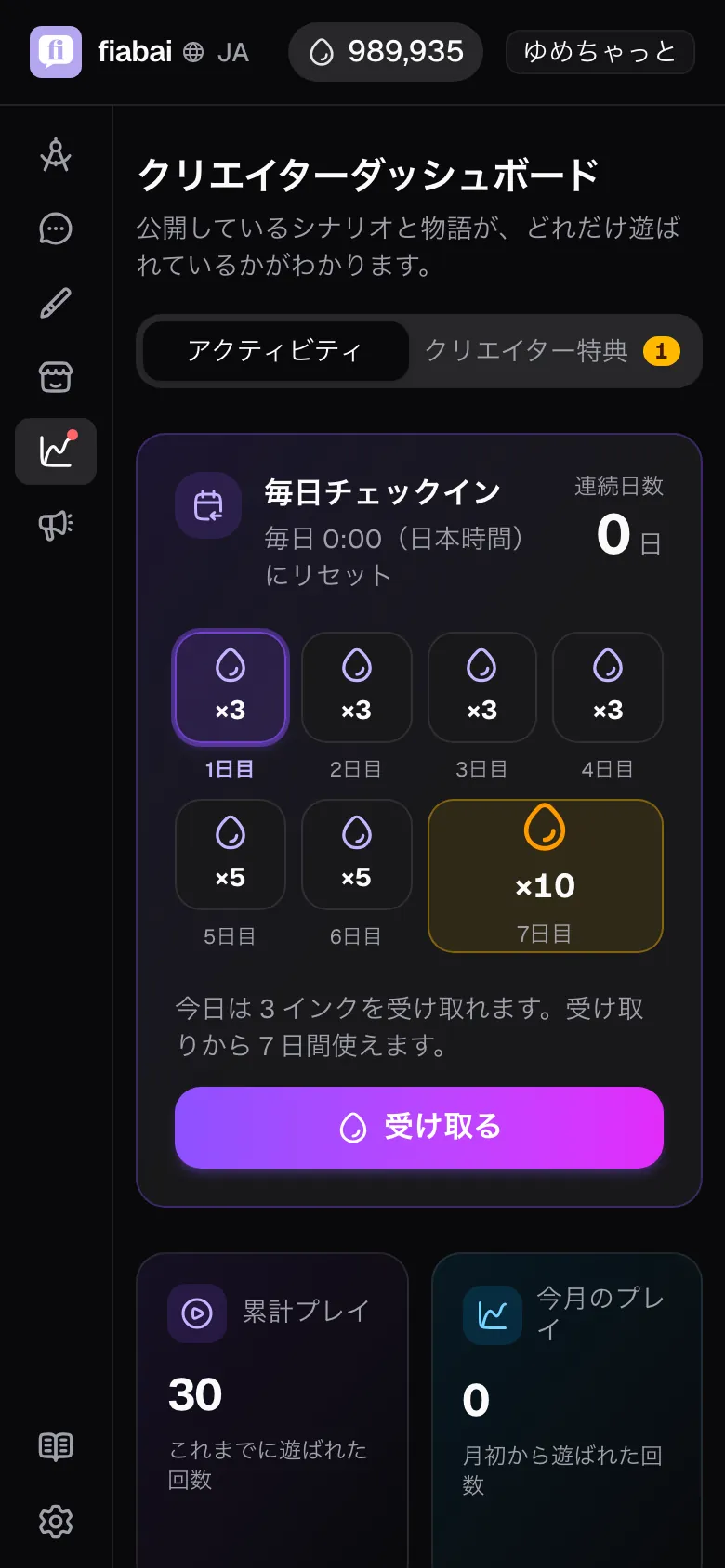
- Daily check-in: claim Monochrome Ink once a day at the very top of the Dashboard. Seven days in a row add up to 32 Ink a week, with 10 Ink on day 7 (the day changes at midnight Japan time, and Ink you claim is valid for 7 days).
- Creator rewards (Ink back): earn Monochrome Ink as the scenarios and stories you publish get played. Claim it under the "Creator rewards" tab on the Dashboard. Ink you claim is valid for 180 days from the claim. You also earn a reward when you publish your first scenario (10 Ink) and your first story (15 Ink).