Contents▾
How to play
Play from ExplorePlaying a chatPlaying storiesHow Ink worksSet up your personaPlay with diceHow to create
A worked exampleCreating a characterCreating a scenarioInline images: illustrations in the chatMoving the story with phasesEmotion parameters for personalityFeed world facts on demandBuilding a TRPGMake images and videoPublish your workGetting better
Writing so the AI understandsEmotion parameters for personality
A scenario can give the character's feelings numeric values. The AI moves them with every message, and the current values are passed to the character, so the warmth of their reactions shifts even in the same scene. Chats that advance through phases get one set per phase; free talk gets one set for the whole scenario. They are optional — use them when you want a character who wavers easily, or one who rarely cracks.
The five axes
- Arousal: How strong the physical reaction is (0-100)
- Resistance: How strongly they protest or refuse (0-100)
- Shame: How embarrassed they are, or how wounded their pride is (0-100)
- Trust: How much they trust the other person (0-100)
- Internal state: A text axis holding one line of the character's inner monologue or wavering. Only phases have it
Setting starting values on a phase
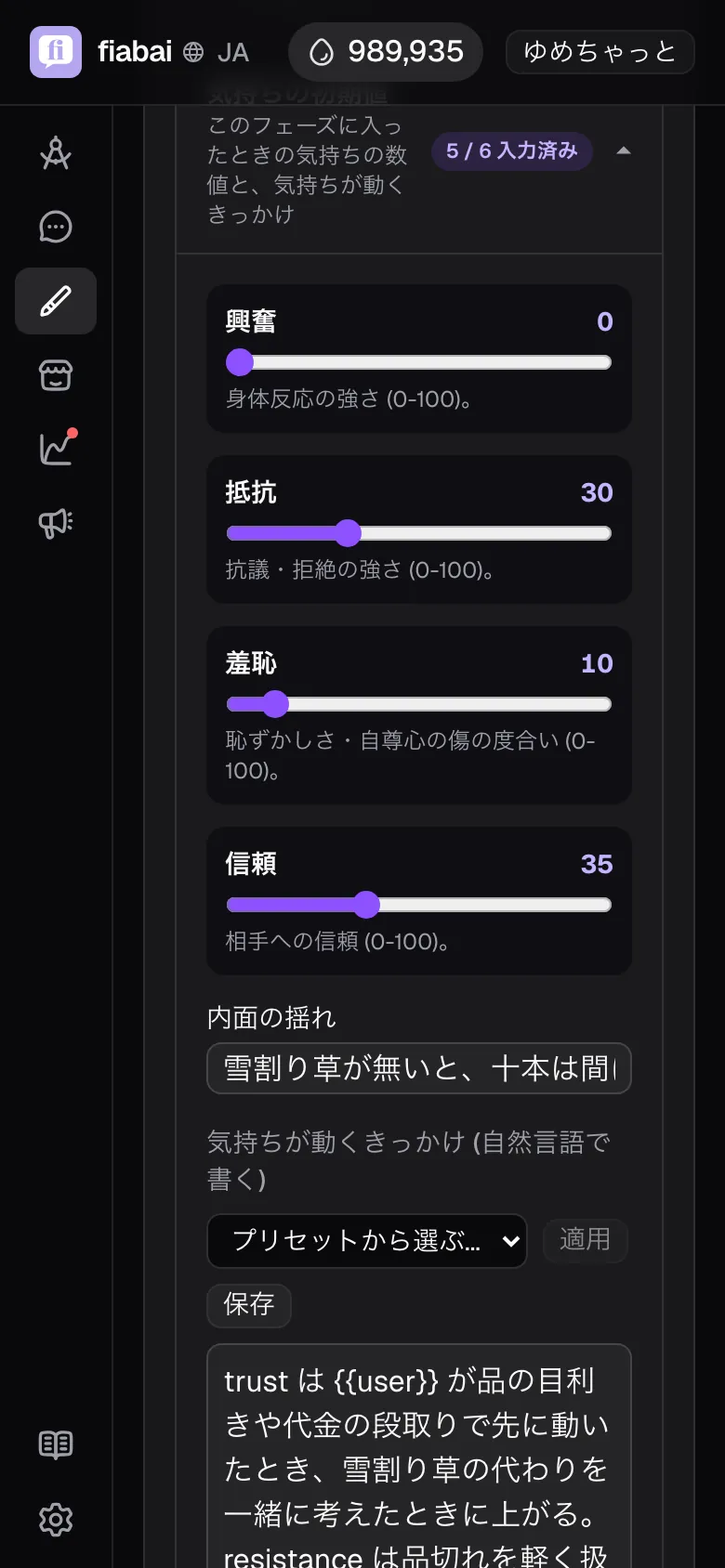
Set them in each phase's fields under "Direction details" → "Starting feelings". When the phase begins, the values start from here and then move with the conversation. The current values are passed to the character every turn.
Internal state is passed to the character only for the first 2 exchanges after the phase begins, as "how they feel on entering this phase". Write it as the starting point of the phase, and from there the character's inner feelings move naturally with what happens in the conversation.
If you use "When feelings reach a level", the target to move on (for example, trust 60 or more) is set in "When to move on", not in the starting values.
Moving feelings in free talk
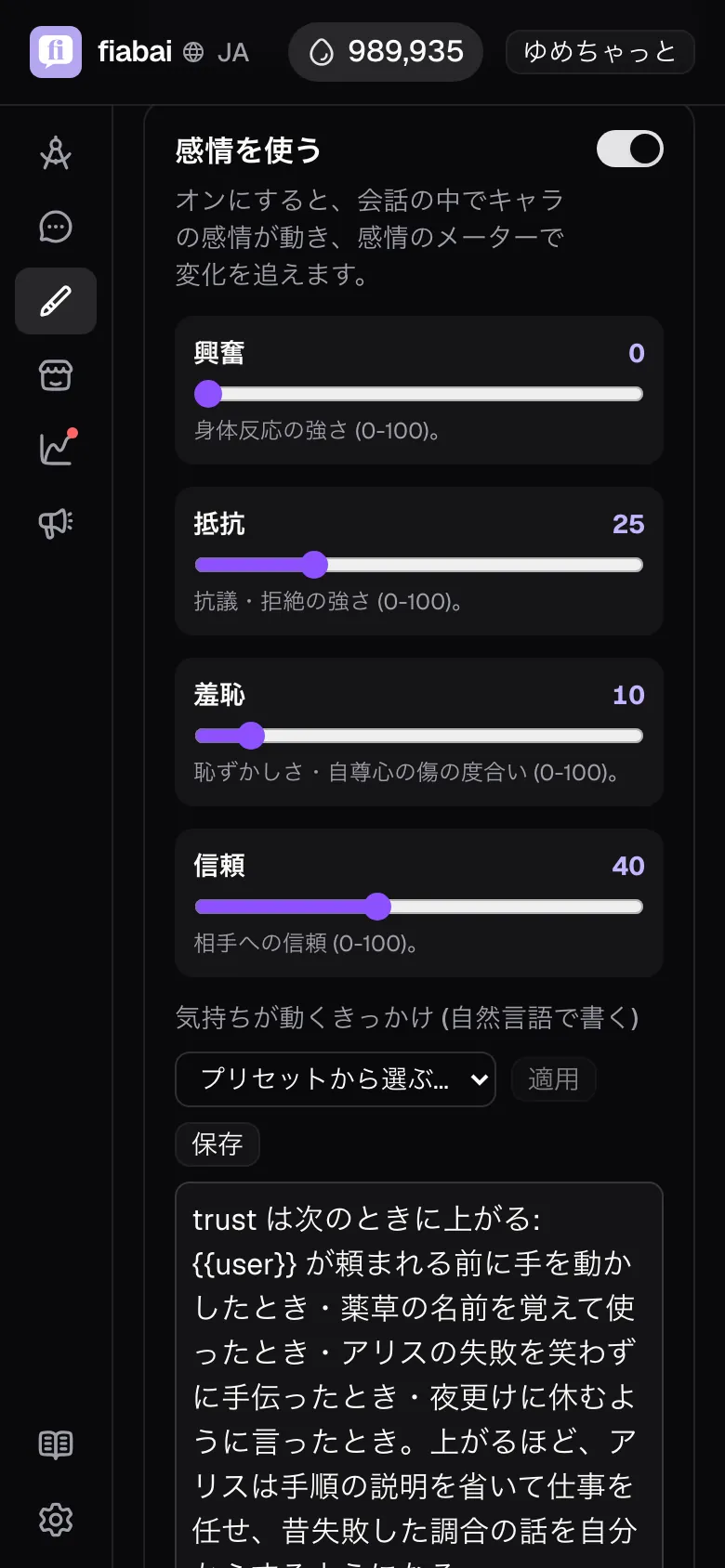
Choose free talk in the "Flow" step and a "Use emotions" switch appears below the setting. Turn it on and you can write starting values for the four axes — arousal, resistance, shame and trust — plus "What moves the emotions" (there is no Internal state). In a free talk chat, feelings move by this setting from start to finish, and you can follow the changes on the emotion meter.
Adding personality: What moves the emotions
"What moves the emotions", inside "Starting feelings", is read only by the AI that moves the values (the analyzer). It is not passed to the character. What you write there is "which words or actions from the other person move which axis, and by how much".
- Be concrete about how far values move. Giving ranges as examples — "a compliment moves trust by +10 to +15", "even a surprise only drops resistance by 3 to 5" — gets you the degree of wavering you are aiming for. The analyzer aims to move a single axis by no more than ±15 per message, and never more than 25. When the analyzer is unsure, the change is kept smaller.
- Write the triggers as the other person's words or actions. Events that show up directly in the conversation — "has a promise kept", "has a weak spot touched" — keep the judgment steady.
- You can change how they move based on the current values. You can split which axis moves, or by how much, on the earlier value: "while trust is under 50, a compliment only moves shame".
To change how the character behaves at high or low values, write those scenes into the character's "Reaction patterns" or "Voice variants", and they reach the character directly.
Reuse it as a preset
The triggers you have written can be saved as a "preset". This is handy when you want the same character traits across several scenarios, or when you want to switch between things like "for scenes of inner conflict" and "for honest reactions". Use "Choose a preset" on the edit screen to pick from both official and your own presets.
In stories
Phases in a story's chapters also have fields for feelings. In a story the values do not move during the conversation; the starting values are passed to the narrator as-is every turn. Use them as a guide to each chapter's atmosphere.